Building PHP Projects on AWS CodeBuild
AWS re:Invent 2016, by Ben Ramsey / CC BY-SA
I’ve had a great time at AWS re:Invent this week, attending sessions and hanging out with some of the ShootProof team. My favorite part of the week was the “mini con” on containers. I spent Thursday immersed in sessions dedicated to deploying Docker containers on AWS.
Of course, the main highlight of re:Invent is always the keynotes and the new services and features announcements they make during the keynotes. One of the new services caught my attention, and I decided to give it a try. That service is AWS CodeBuild.
CodeBuild is designed to be used as part of the AWS CodePipeline, but it may also be used by itself. Additionally, with AWS’s increased focus on their container service (ECS), it’s designed to integrate with ECS to use images you’ve stored in AWS, but it may also use images available on Docker Hub.
Out of the box, CodeBuild provides some managed images that you may use to build your projects. These include environments for Android, Java, Python, Ruby, Golang, and Node.js. PHP is missing from this list, but since you’re able to use other images, I decided to see how easy it is to get up and running on CodeBuild with a PHP project. I chose to try out my ramsey/uuid library for a simple test. Feel free to follow along with me.
Getting Started
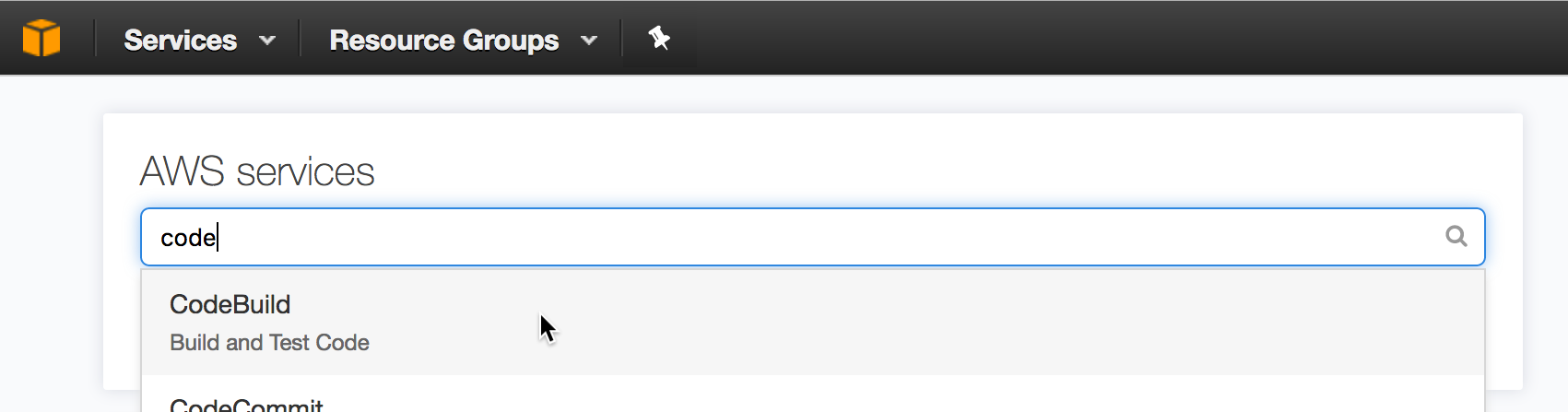
From your Amazon console, search for “CodeBuild” from the AWS Services search box, and choose it from the drop down menu that appears.
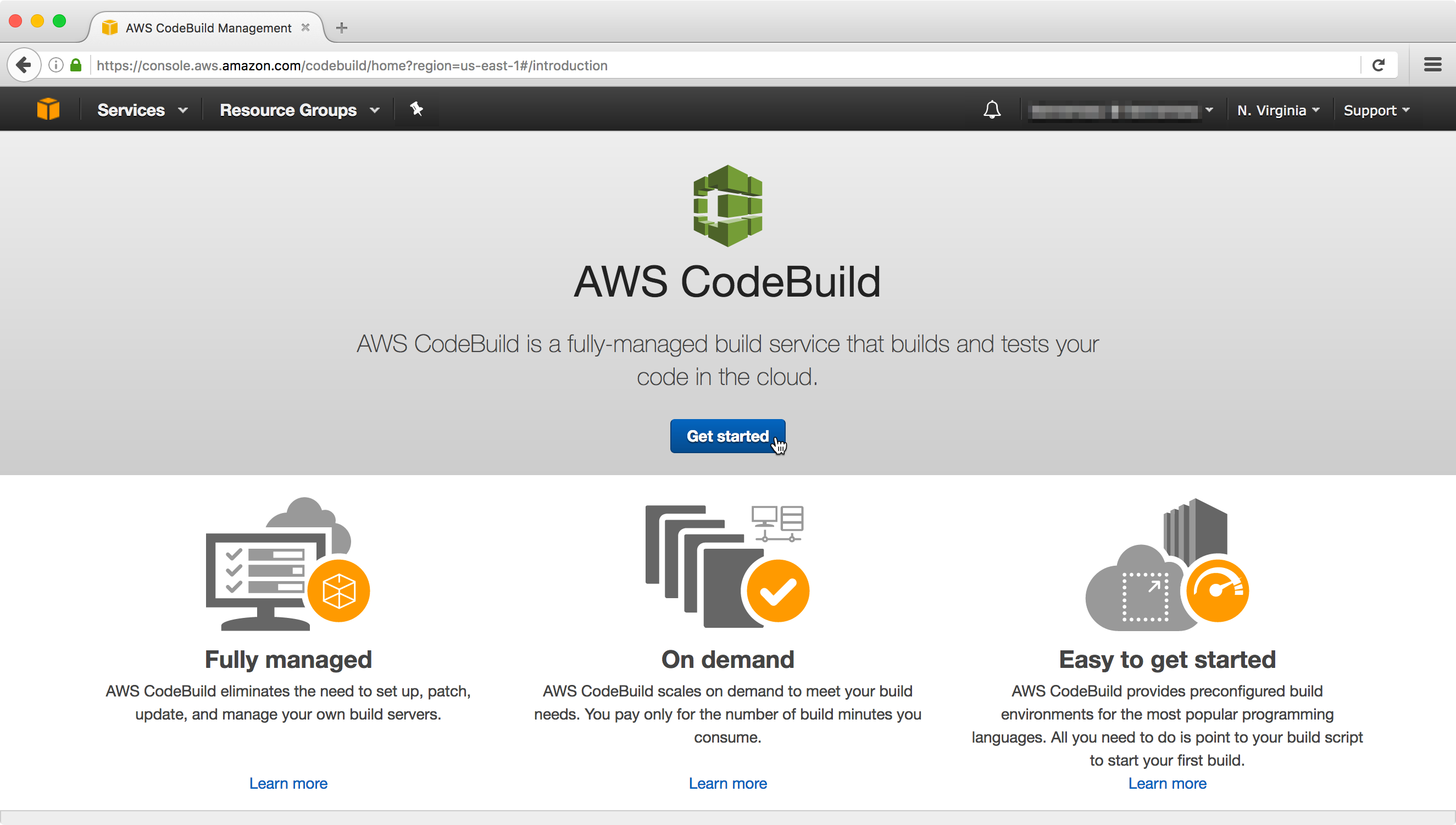
If you’ve not yet begun playing with CodeBuild, you’ll see a page like the one in Figure 2. Click the “Get Started” button to begin.
Configuring Your Project
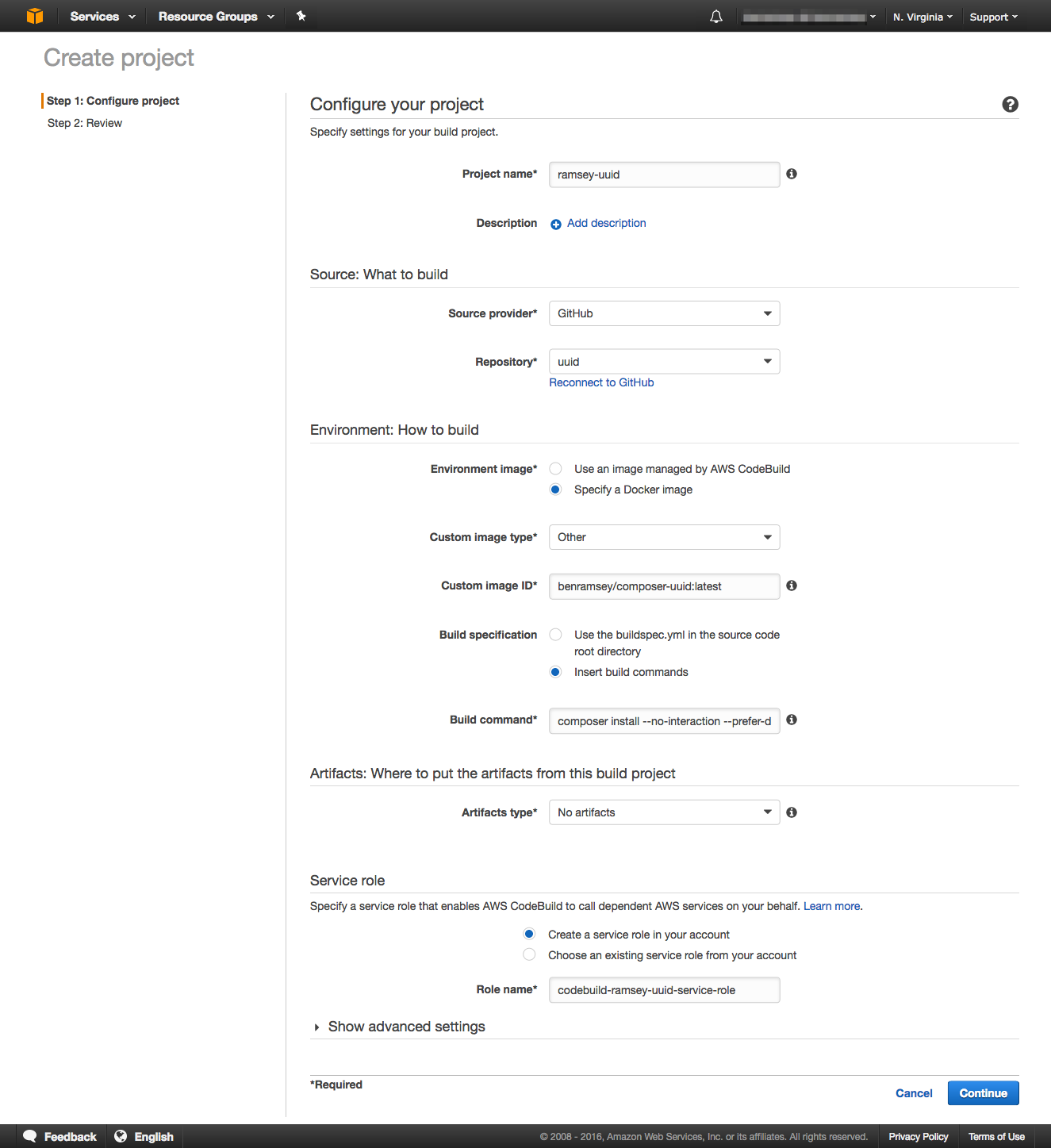
Figure 3 shows most of the options available when configuring a project, pre-filled for the ramsey/uuid library. I’ll step through each option to explain what’s going on.
First, provide a project name. Here, I’ve named the project “ramsey-uuid.”
For Source provider, choose GitHub and then click the link provided to connect to GitHub. This will take you through the OAuth dance to grant AWS with access to your GitHub account. Afterwards, the Repository drop-down will be populated with a list of your GitHub repositories. Here, I’ve selected the uuid repository.
Next, you need to tell CodeBuild how to build your project by specifying an image to use. To use an image in Docker Hub, select “Specify a Docker image” for Environment image and choose “Other” for Custom image type. For the Custom image ID, I’m using benramsey/composer-uuid:latest to specify the repository, image name, and image tag. You may place a buildspec.yml file in the root of your repository to specify build commands (similar to a .travis.yml file). Since ramsey/uuid doesn’t have a buildspec.yml file, I’m specifying the Build commands directly.
The full build command I’ve specified for ramsey/uuid is:
$ composer install --no-interaction --prefer-dist \
    && ./vendor/bin/parallel-lint src tests \
    && ./vendor/bin/phpunit --verbose --no-coverage \
    && ./vendor/bin/phpcs src tests --standard=psr2 -sp
Finally, I’m not generating any artifacts for this build, so I selected “No artifacts” for the Artifacts type, and I chose to let it automatically create a service role in my account.
Our project is now configured, so click Continue, review your choices, click Save and Build, then click Start build to run a build.
Building Your Project
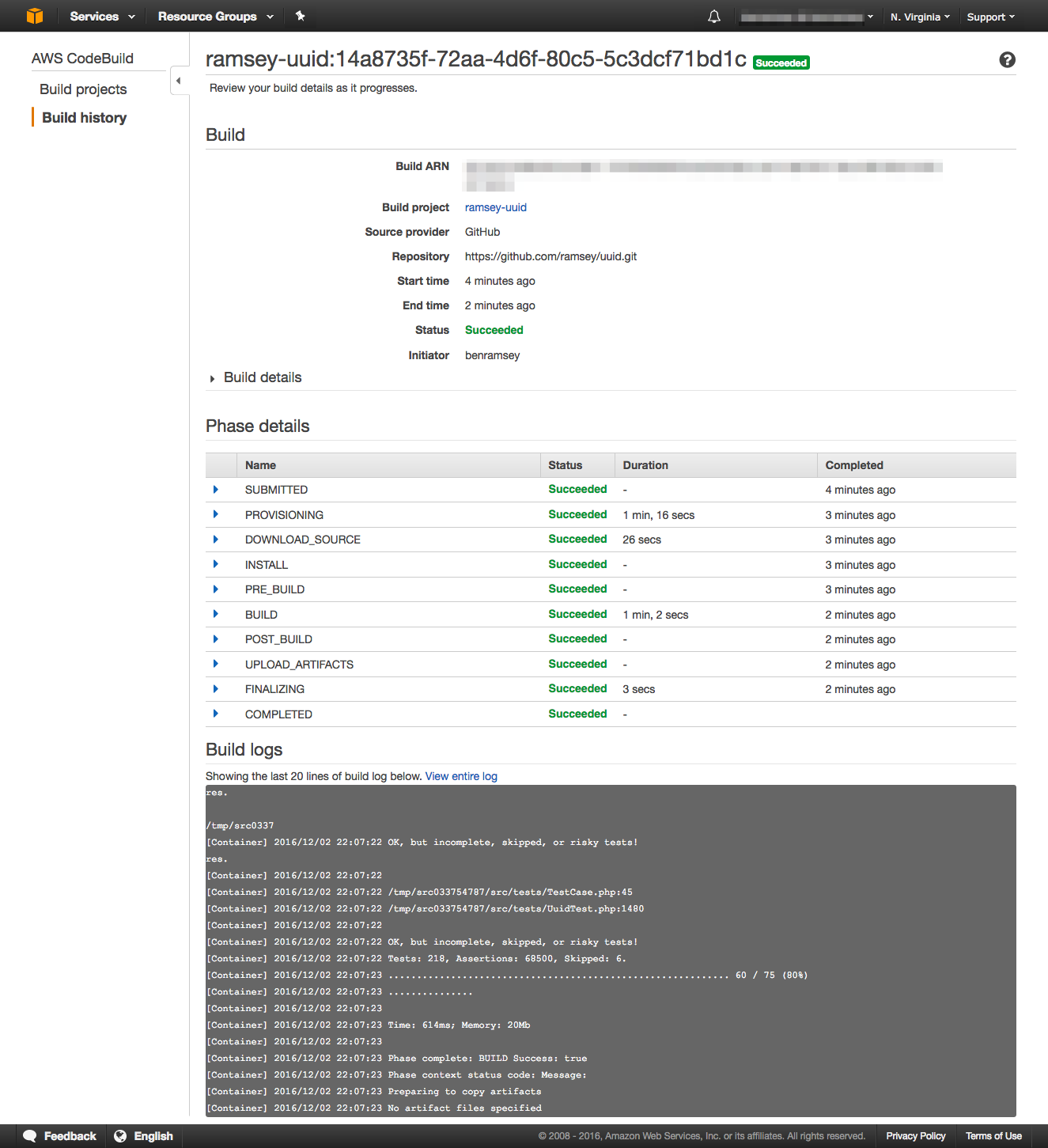
As your project is building, you’re able to view the progress of each stage of the build, complete with the last 20 lines of the log output, or you may view the complete log in CloudWatch to see any errors or problems that were emitted during the build. If the build passes, you’ll see the word Succeeded in a comforting bold green.
What Next?
My team is looking into CodeBuild as an alternative to running a dedicated Jenkins instance, and as we evaluate it, there are a few things we’re considering:
- Some of our tests talk to a dev database in a VPC. How do we grant VPC access to a container running in CodeBuild?
- In Jenkins, we capture a handful of artifacts, including code coverage reports and generated docblock documentation. With CodeBuild, we might consider copying these artifacts into an S3 bucket configured for website hosting.
- What do we do about the other information we currently capture, like JUnit and Clover XML files?
Feel free to use ramsey/uuid and my directions here to play with CodeBuild, or use your own project. In the comments, let me know what you think and whether you’ve run into any caveats with your builds. If you come up with any solutions for the things we’re considering, I’d love to hear them.
5 Comments
I've got two tidbits with regard to the Database issue. One is that CodeBuild running within a VPC is "on the roadmap", but as you notice, there's not a 100% obvious way to make this work today without going outside the box a bit. What I did to *temporarily* solve this issue until the VPC support hits is to do dynamic security group modification inside CodeBuild. So, in short, I give the role assigned to the CodeBuild Project the rights to grant and revoke ingress rules on the SG for my RDS instance. In pre-build, I grant it, in post-build I revoke it, and in build I run my DB migrations (I used flyway). The one wrinkle I had to solve wholesale was that since I was doing all this work to support DB migration automation, all the "official" docker images didn't imply aws, so they didn't bake-in awscli. I had to extend the best example I found and added awscli to it, so I could both do the dynamic security group updates as well as have a maintained container implementation of flyway, which I both posted to github and docker hub subsequently (under disturbedkt/flyway-awscli). Since I stood this up with CloudFormation, it looks like so in my yaml Cloud Formation template :
What's important to make the above work is the lines which refer to $IP all need to be strung together with &&'s or ;'s, because each individual list item underneath commands is run as it's own execution, so variables and such don't persist in-between lines. Hope this helps with one of your remaining issues.
hi! I came across your tutorial and while investigating I also found out that Alpine Linux images are now supported by AWS CodeBuild - just in case you want to update your https://forums.aws.amazon.c...
Thanks for the tip. I'll check out this functionality.
Can codebuild be used if you have hosted your PHP app on AWS using Cloudways PaaS? It is basically a platform that provides managed hosting on top of infrastructure, like AWS and others.
Based on this, we're using codebuild now for all our projects, we've ditched Jenkins which was such a temperamental Java app (the last thing you need in your life if you're a PHP coder is a temperamental java app). Codebuild also ends out being cheaper than keeping an instance around to run Jenkins and can handle as many parallel builds as we need rather than queuing them up like Jenkins did.
We've done a series of tutorial blog posts ourselves on using codebuild, setting it up to upload code coverage reports to S3, and ultimately deploying with ssh/sftp, which may be of interest:
https://idealstack.io/blog/...